Step 5: Create your first template
Why this step
A template is the complete set of settings your gateways receive. A gateway without a template cannot be set up, so you create one before you add gateways.
You need
- The role Org Admin or Editor.
- Your target platform: Pallax (your Pallax workspace ID and gateway type, from support) or Generic (the host name and port of your broker and the three files of the credential, from your broker's operator). Details: Create template.
Do this
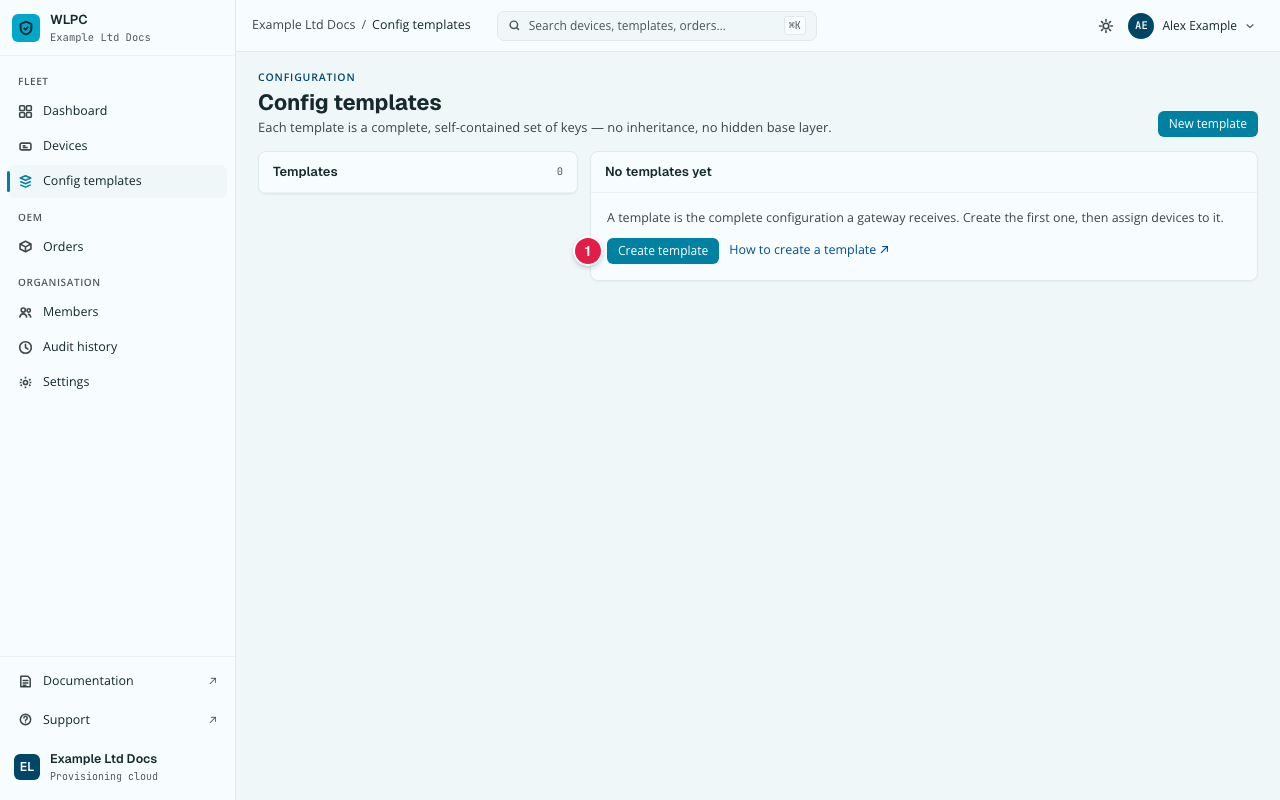
- In the menu, under FLEET, click Config templates.
- Click Create template (1). (New template at the top right does the same.)
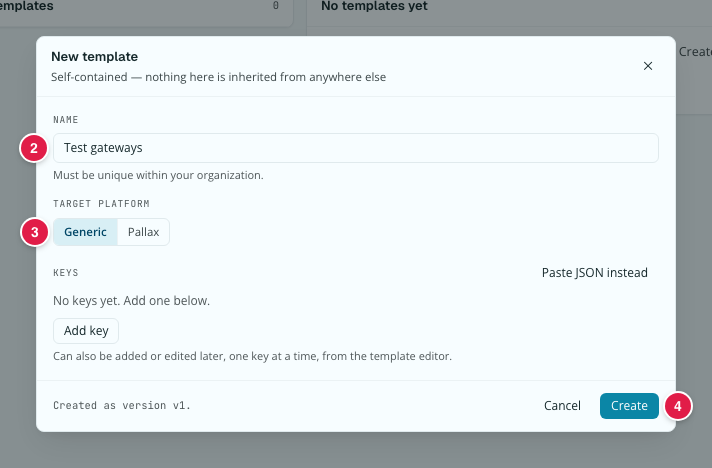
- Enter a NAME (2), for example
Test gateways. It must be unique in your organisation. - Under TARGET PLATFORM, click Generic or Pallax (3). For
Pallax, add no
_target: the target is set on each device, see Pallax target. - Click Create (4).
- Only for Generic: set the broker and upload the credential.
You should see
Your template in the Templates list, with its target platform and
0 devices. For Generic, after the upload, the Broker credential
card shows the certificate's facts, and "No credential — devices will fail
check-in" is gone from the list.
If not
Find the message you see under Create template, Common errors.