Bulk import and claim
Purpose
Import a batch of manufactured devices from a CSV, then let an organisation claim them — the production path for onboarding devices at volume.
Prerequisites
- Signed in: Orders (menu group OEM) for the import and export steps, Devices (menu group FLEET) for the claim step. See Sign in.
- Org-Admin role for import; claiming devices is gated on
device:import(Org-Admin in the organisation you're claiming into). - A manufacturing CSV: one row per device, comma or semicolon separated.
There is no \"create order\" step in the UI
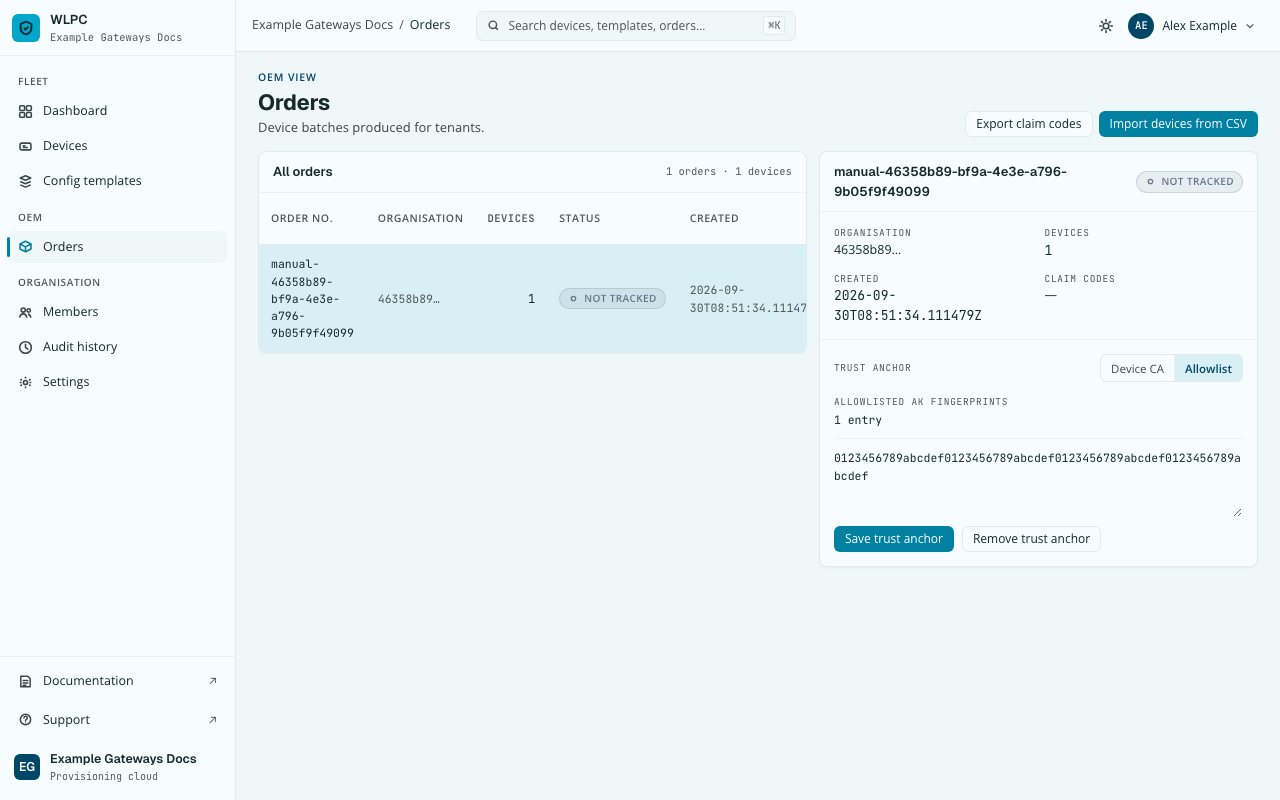
Orders has no button to create one. Clicking Import devices from CSV auto-attaches to this organisation's own manual-entry order (the same one Add device uses) — there's nothing to set up first.
Steps
Import from CSV
-
Go to Orders, then click Import devices from CSV.
-
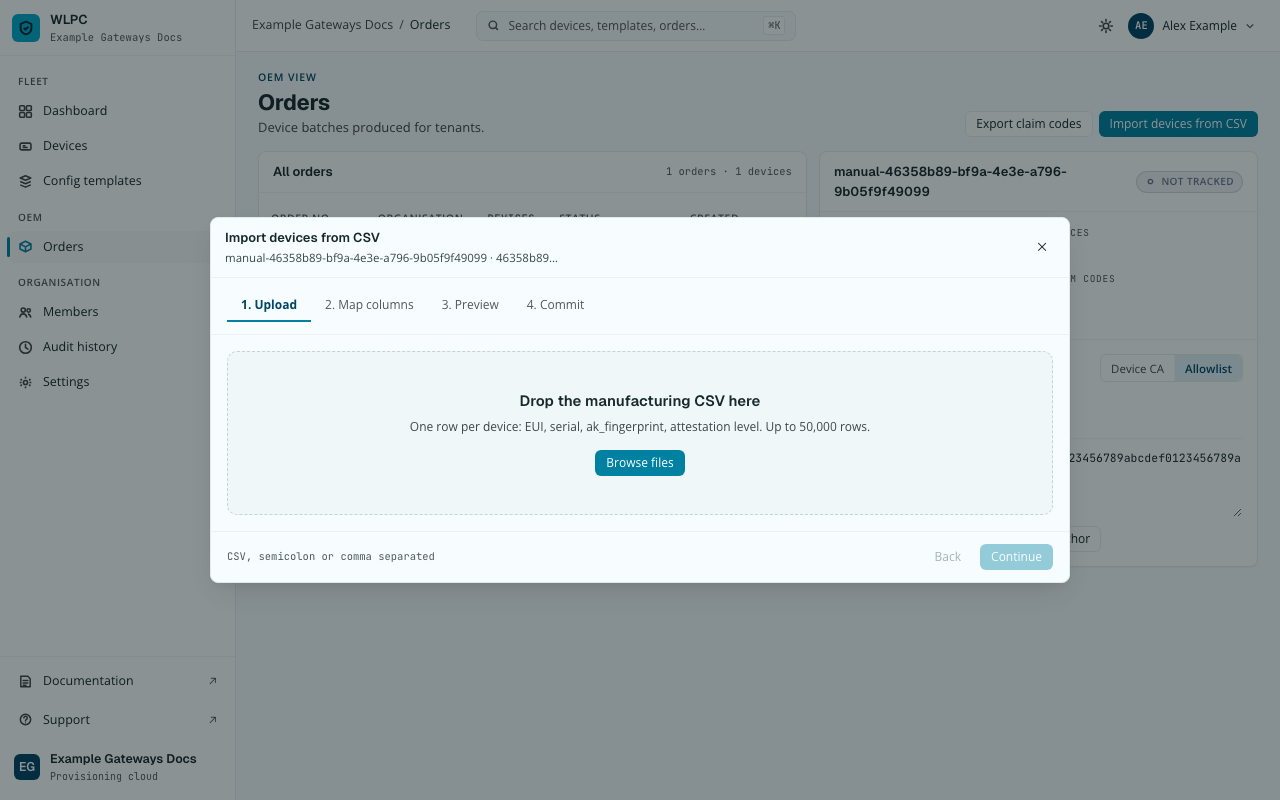
1. Upload: drop or browse to your CSV.
-
2. Map columns (shown only when the mapper needs you to confirm something, e.g. a column it doesn't recognize — a CSV with exactly the four working column names below skips straight to Preview). Columns are matched by header name; unmapped columns are ignored.
-
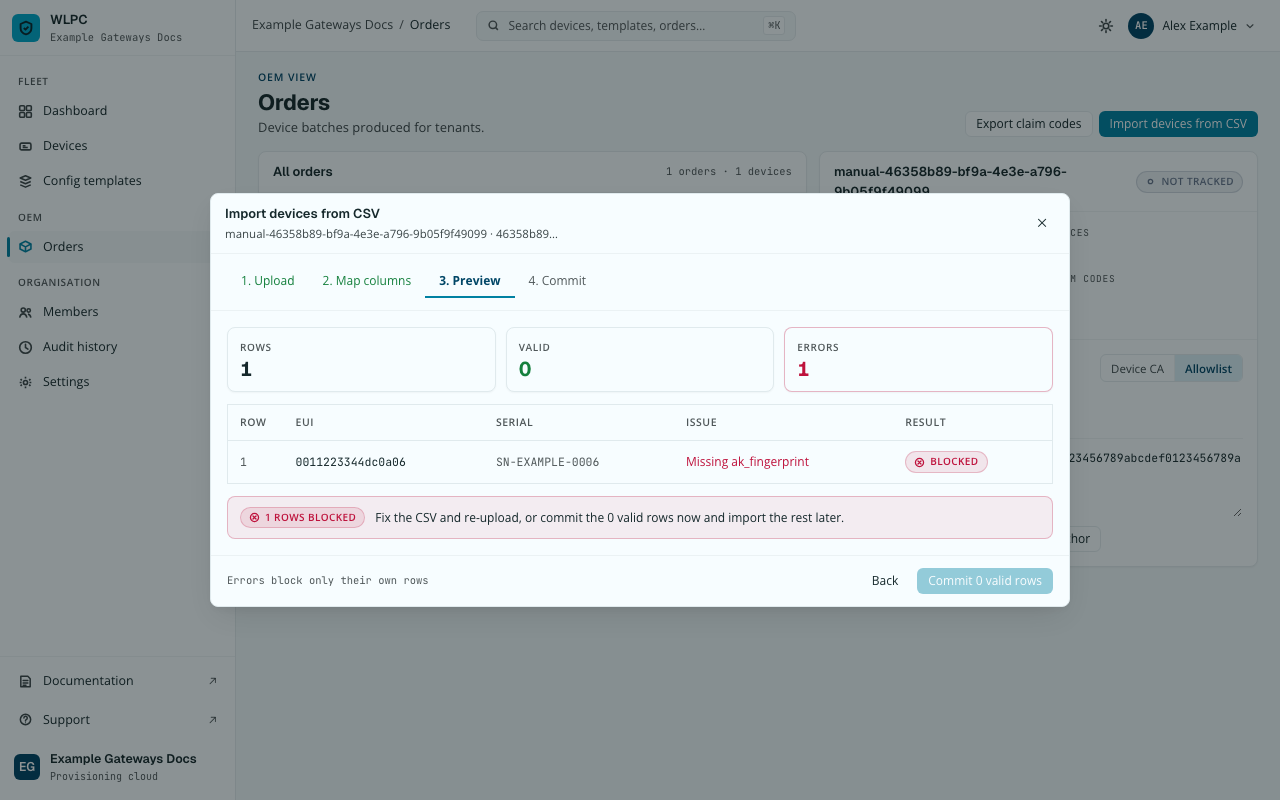
3. Preview: shows one row per device with
VALIDorBLOCKEDand why.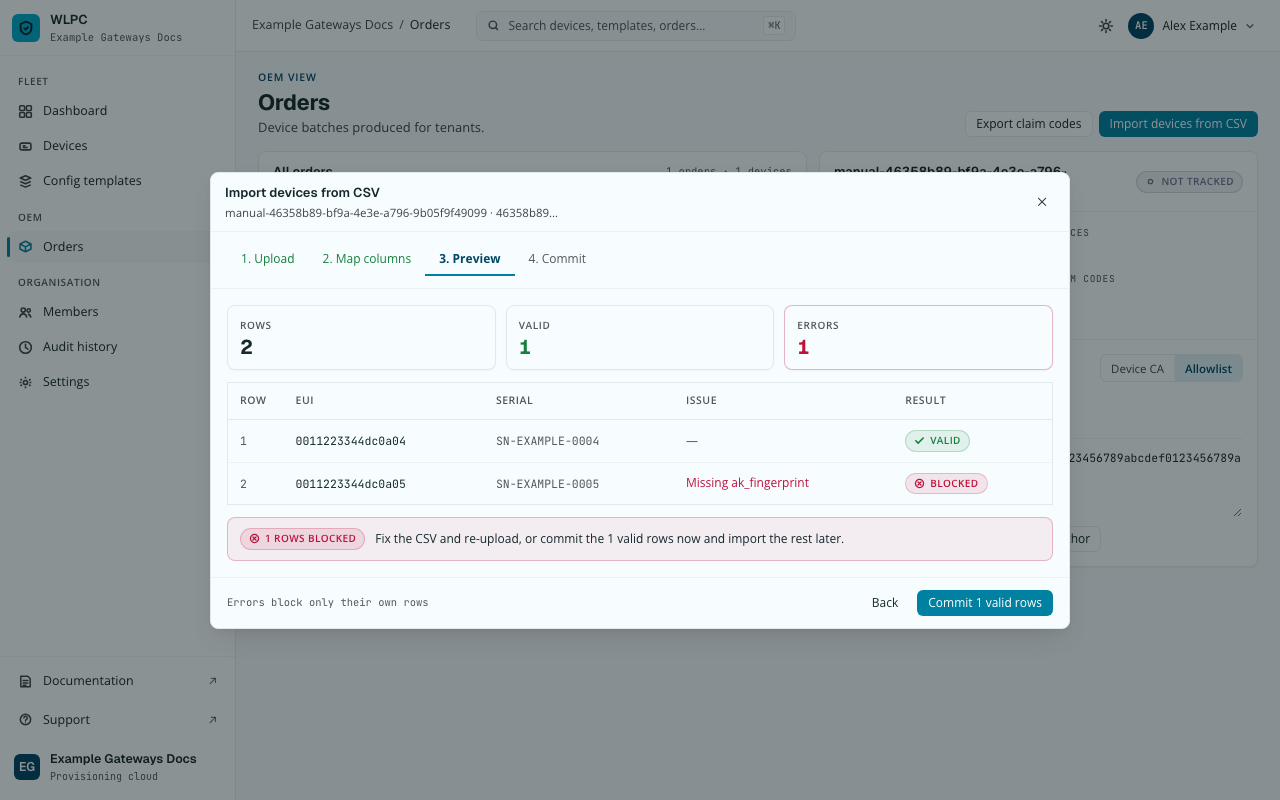
-
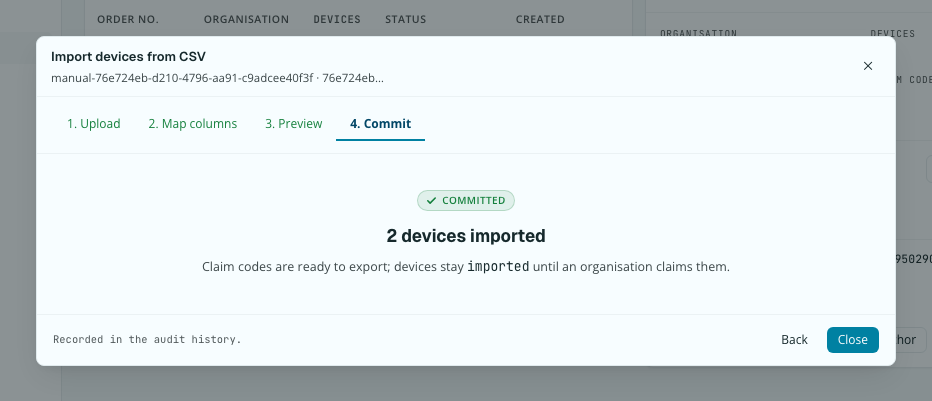
Click Commit N valid rows.
CSV columns
| Column | Required | Notes |
|---|---|---|
eui |
Yes | 16 hex characters (0–9, a–f); colons, dashes, dots and spaces are allowed and removed. Stored as 16 lowercase characters. A row with any other EUI is blocked. Two rows with the same EUI in different notations count as a duplicate. |
serial_number |
Yes | Free text, unless the order has a serial format set. Then every serial must match it, or the row is blocked with Serial doesn't match this order's format: …. |
attestation_level |
Yes | tpm or soft. No default — pick the hardware's real attestation path. |
ak_fingerprint |
For tpm rows in Allowlist mode only |
The upload hint names it: "One row per device: EUI, serial, ak_fingerprint, attestation level." If this order's trust anchor is a device CA instead, don't fill this column: the device's birth certificate is what proves it, not a listed fingerprint. |
| — | For soft rows |
No working column exists for the soft-attestation secret (device_secret, named in the Add device dialog's own hint text, is not recognized either). Every soft row is blocked before Commit is reachable — ask support how to import them through the API until the wizard has a field for it. |
Instead of ak_fingerprint, a tpm row can carry the device's own
certificate in an identity_cert column, and a re-import can update the
identity of devices already in the order: see
Register a device's identity.
See How device identity works for what each trust-anchor mode means for this device list, and for what a manufacturer delivers per batch.
Devices imported earlier with a non-hex EUI
Devices imported before this check existed may have an identifier that is not 16 hex characters. They stay usable, and nothing is migrated. You can still edit all their other fields; their EUI field is read-only, with a short explanation. See Edit device.
Expected result
Committing valid rows writes an audit event (batch.imported) and closes
the dialog — errors block only their own rows, so a partially-invalid CSV
still commits whatever validated.
Export claim codes
-
Back on Orders, click Export claim codes.
This starts a file download (a CSV of claim codes) rather than changing the page — there is no on-screen confirmation to screenshot.
Claim devices
The organisation receiving the batch claims it from the Devices view — this is the last step of this page, not a separate one.
-
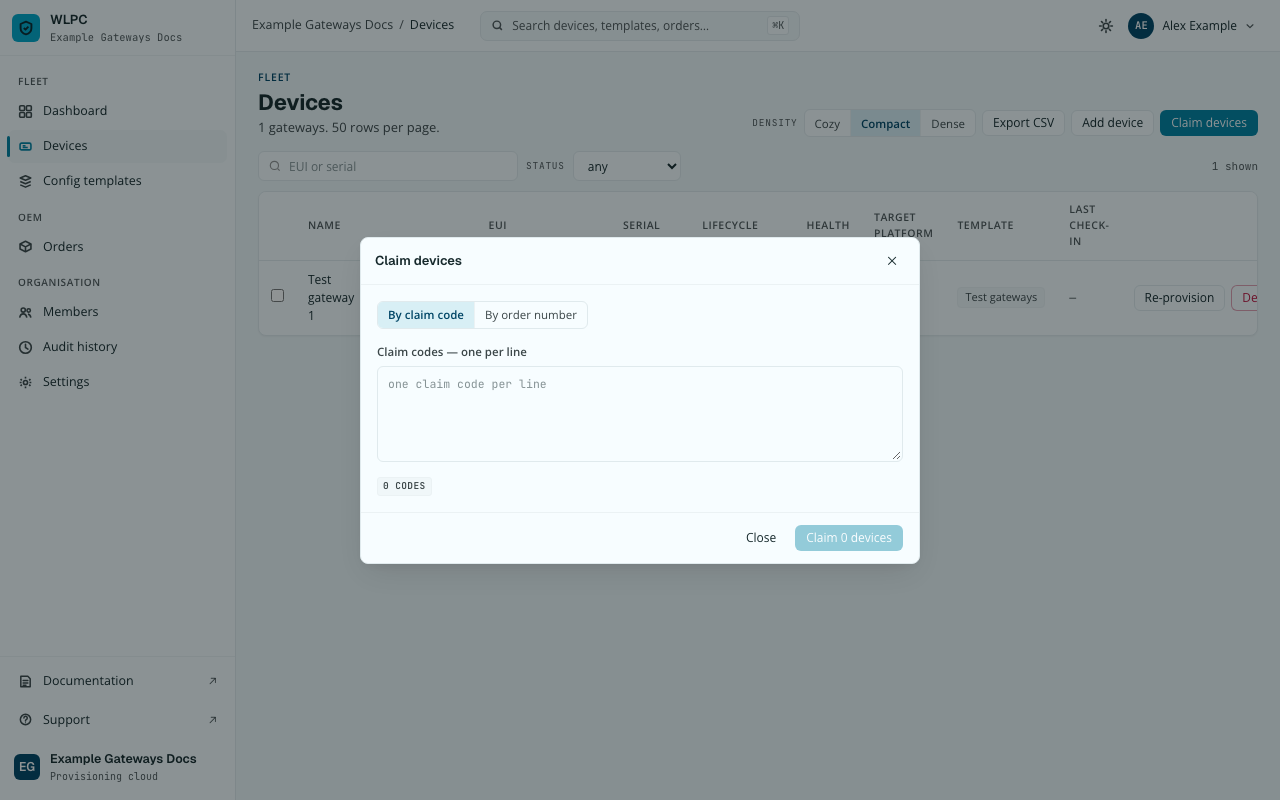
Go to Devices, click Claim devices. The dialog defaults to By claim code: paste one code per line.
-
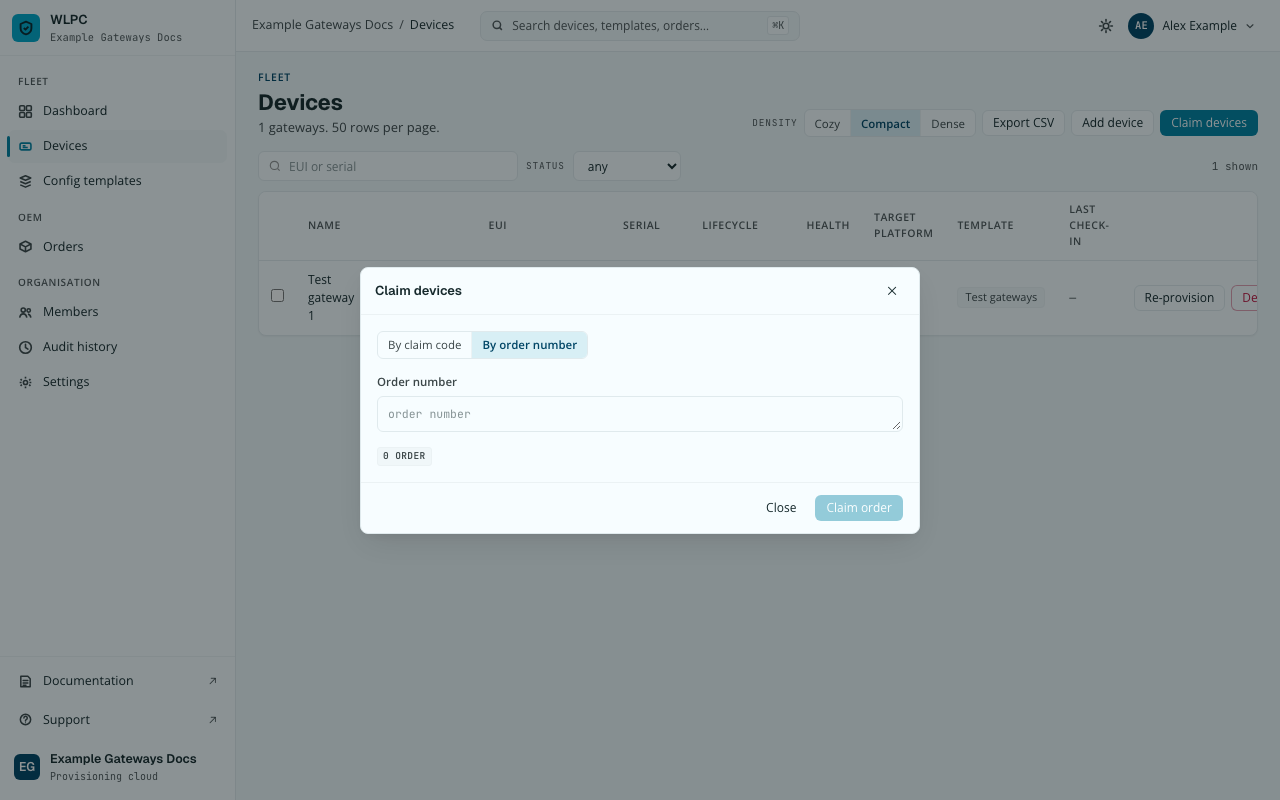
Or switch to By order number and enter the order number instead.
Common errors
| Exact UI message | What to do |
|---|---|
Missing ak_fingerprint, row BLOCKED |
For a tpm row: add the fingerprint in an ak_fingerprint column. For a soft row: not fixable via this wizard today; ask support. |
Serial doesn't match this order's format: … |
The serial doesn't match the format set on this order. Correct it and upload again. |
1 ROWS BLOCKED / "Fix the CSV and re-upload, or commit the 0 valid rows now and import the rest later." |
Errors only block their own row — you can commit the valid rows and re-upload a corrected file for the rest. |
| Claiming says a code is unknown or already used | A typo, or the gateway was claimed already. Check the code. If someone else claimed it, contact support. |